How to count your words without your citations
Word and Google Docs count everything on the page. Here is how to get a count of your own words, by hand and with WordStride.
Six things WordStride does while you write, starting with the one it is named for.
In-text citations, numbered markers and everything after your reference list are removed before counting, so the number is your own words. Each count shows how many citation words it left out.
Every paragraph has its own count, and the one you are typing in is highlighted.
One target for the whole piece, a goal for each section, or a goal for each paragraph.
Start a new heading or paragraph and a card asks for its goal, filled in from your default or from a number in the heading.
Auto-detect, or choose author-date (APA, Harvard, Chicago), MLA, numbered (Vancouver, IEEE, AMA) or footnote styles (Chicago notes, OSCOLA, AGLC).
In Word on a Mac, a small counter floats beside the line you are typing and turns black when you reach the goal. It is a separate window, so nothing is added to your document.
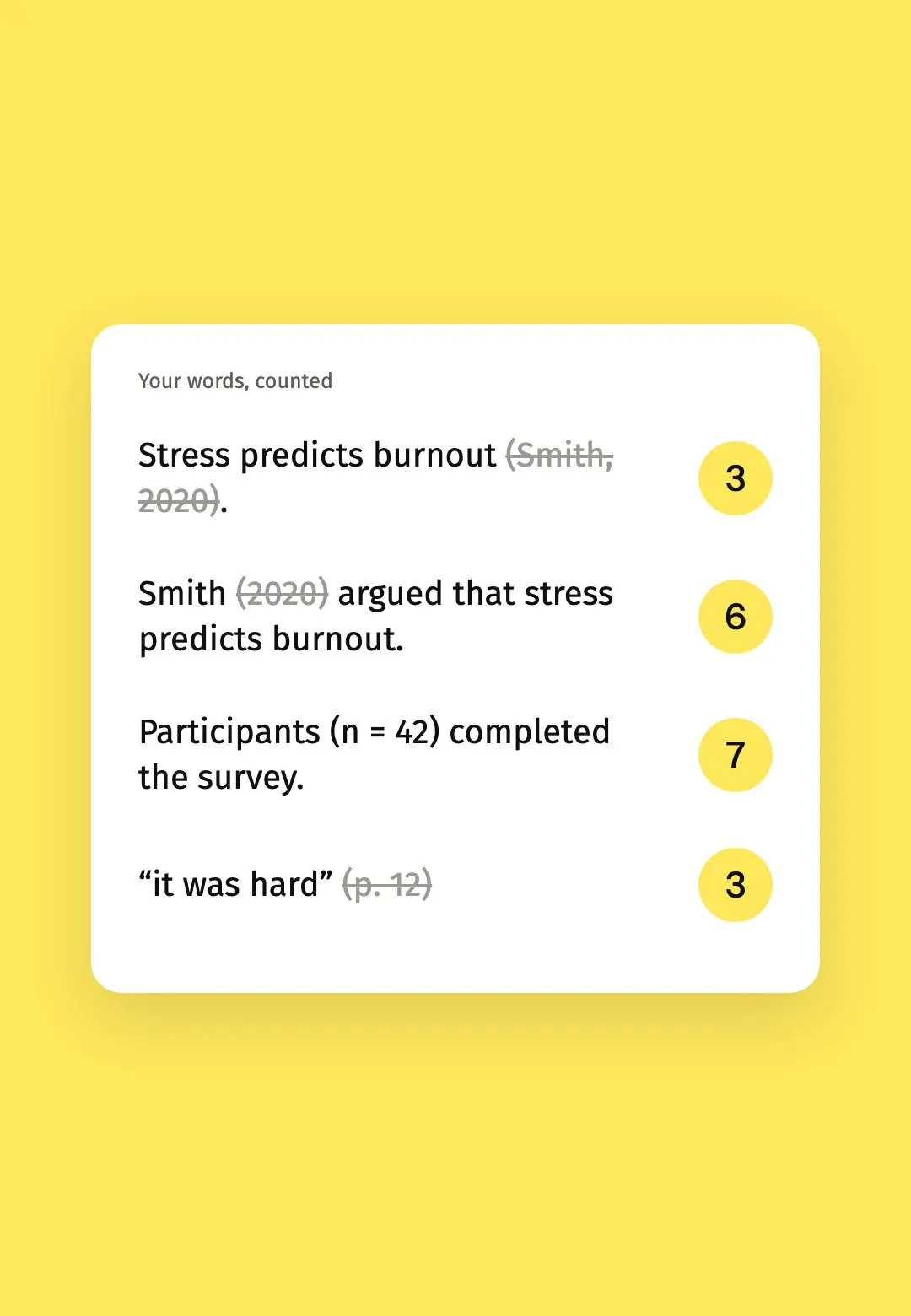
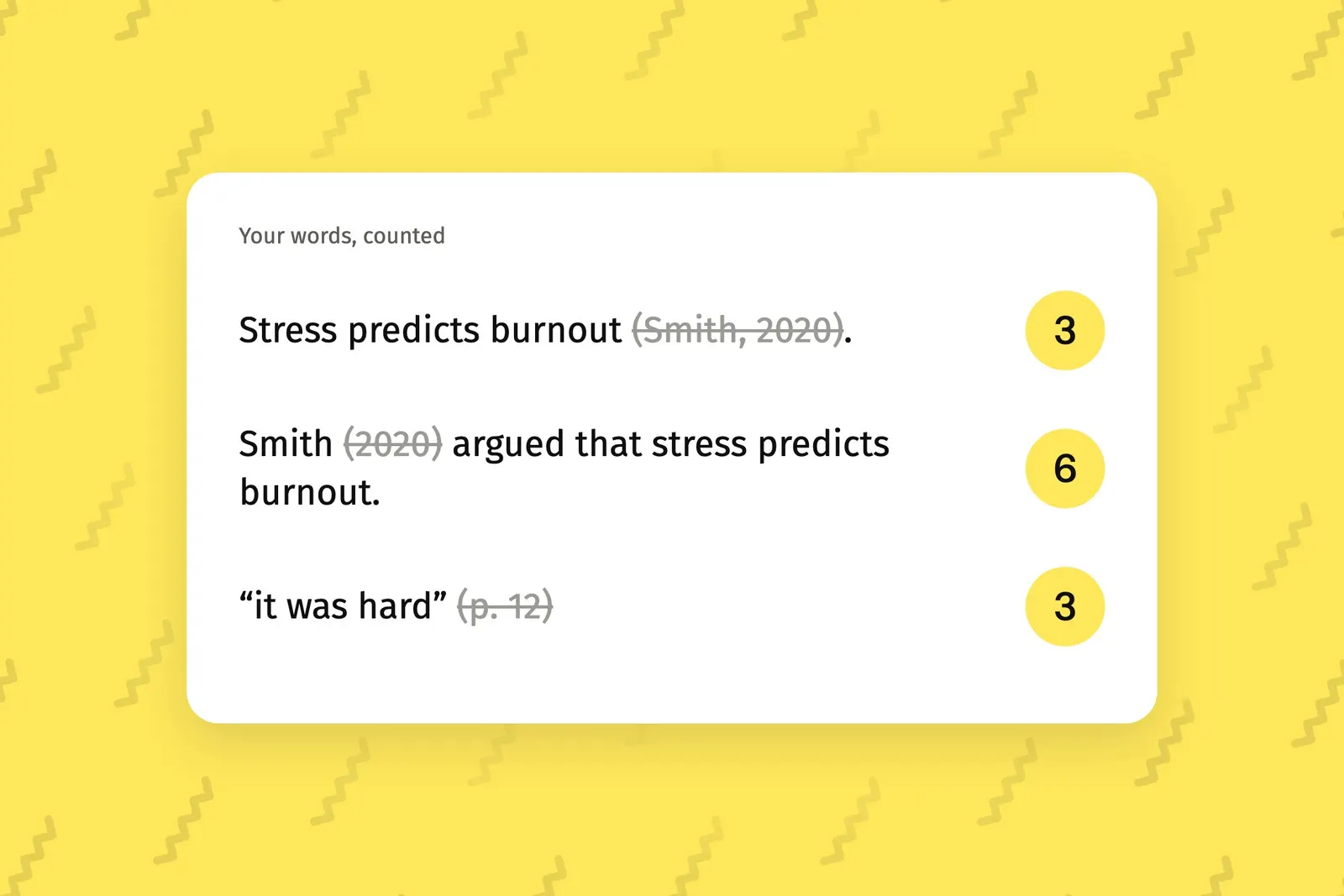
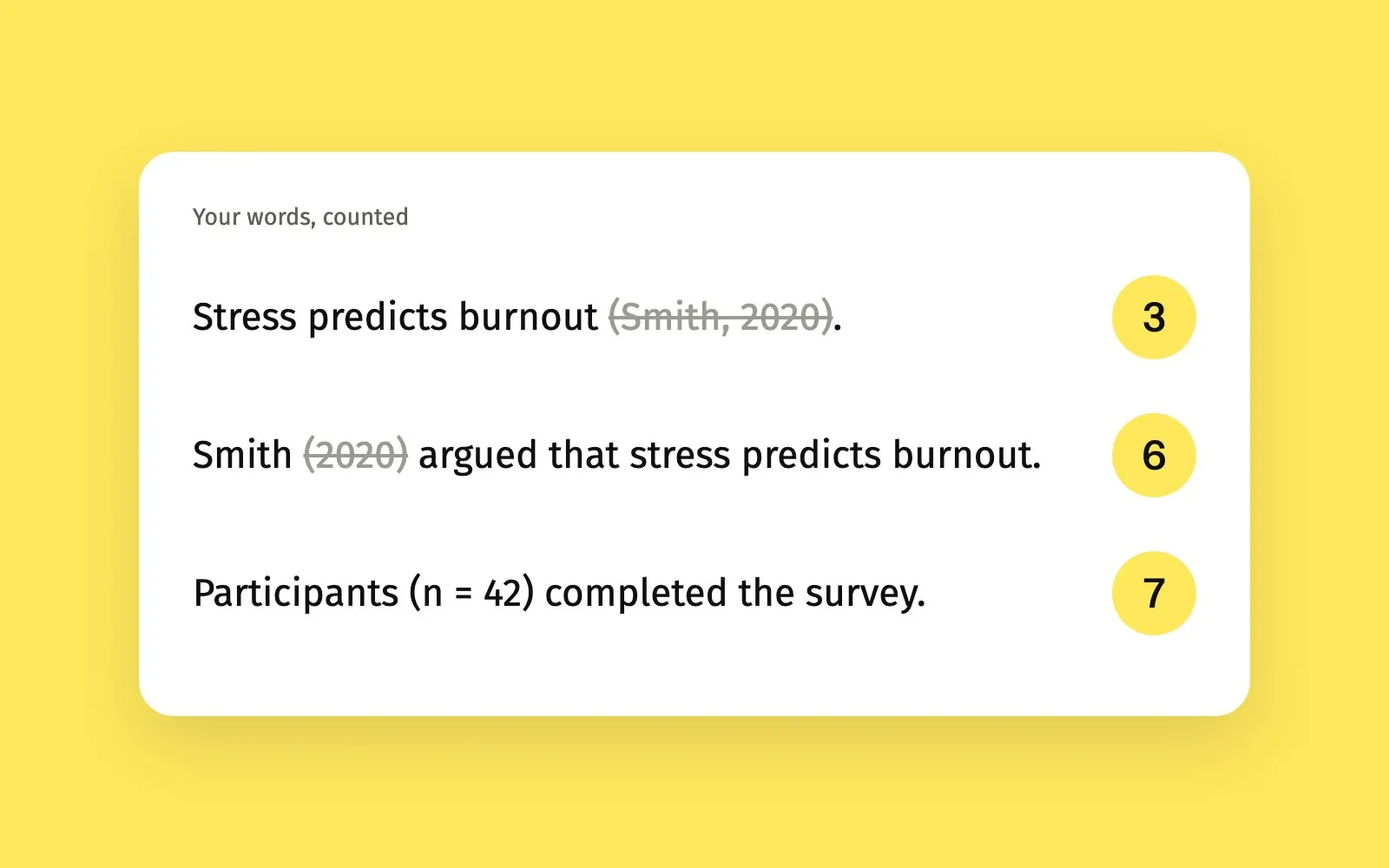
WordStride counts the words you wrote and leaves your citations out. Each example shows what it skips and the count it gives.
Words are runs of letters or numbers separated by spaces. A hyphenated word counts once, and a dash on its own does not count.
Choose auto-detect or set your reference style in Settings, and WordStride switches on only the patterns that style uses.
Stress predicts burnout(Smith, 2020).
A citation in brackets after your sentence is left out.
3words
Smith(2020)argued that stress predicts burnout.
The name is part of your sentence, so it counts. The year in brackets does not.
6words
“it was hard”(p. 12)
A page reference after a quote is left out.
3words
Stress predicts burnout[1, 2].
Numbered citations are left out.
3words
Participants (n = 42) completed the survey.
Ordinary brackets still count.
7words
The war ended (in 1945) after six years.
A year in brackets is only a citation when a name comes before it.
8words
References, and everything after it
The reference list is left out unless you choose to include it.
0words
Anyone writing to a word count who would rather not subtract their citations by hand.
A count that matches what your marker means by the word limit, with citations and the reference list left out.
Section by section progress on a long document, in the reference style you write in.
A count beside the line you are typing, and a prompt for a goal when you start a new section.
Both plans include every feature, in Microsoft Word and Google Docs. Your licence key is emailed to you as soon as you pay.
NZ$4.99a week
Renews each week until you cancel. Cancel any time from the Stripe customer portal, using the link in your receipt email.
NZ$49.99once
One payment. Lasts for as long as we publish WordStride, and includes every future version.
Prices are in New Zealand dollars and include GST. Billed by Integration Lab Services Limited, trading as Integration Lab. Refunds follow the Integration Lab refund policy.
Pick the program you write in. Your licence key unlocks WordStride in each one.
Needs Microsoft Word from Microsoft 365, 2023 or later, on macOS 13 or later. The counter beside your line is available only here.
Add WordStride by uploading its manifest under My Add-ins. Counts show in the pane only. On Windows, use Word on the web for now, as desktop Word on Windows is not supported yet.
Works in a current browser. You start by making a copy of the WordStride template document.
No. Footnote text is never counted, in Word or in Google Docs.
Not unless you ask. Everything after a heading such as References, Bibliography or Works Cited is left out, and Settings can include it.
A citation in brackets after your sentence, a year in brackets after an author's name, a page reference after a quote, and numbered citations in square brackets. Ordinary brackets still count, and a year in brackets is only treated as a citation when a name comes before it. You can let WordStride detect your reference style or set it yourself in Settings.
In Word, yes. In Google Docs, text inside tables is not counted.
The count is not instant. In Word it refreshes about once a second. In Google Docs it follows your typing by one to two seconds.
Desktop Word on Windows is not supported yet. On Windows, use WordStride in Word on the web or in Google Docs.
No. WordStride needs an internet connection to open. Your licence key is checked about once a day, and if the check cannot be reached your key keeps working for 14 days.
Check the reference style in Settings. Each count shows how many citation words it left out. Ordinary brackets such as (n = 42) are counted on purpose, and headings are not counted unless you switch that on.
Press the circular arrow at the top right of the pane. If the bar at the foot says Paused, switch Live counting back on in Settings.
The counter is for Word on a Mac. Check that WordStride Overlay is running, shown by the staircase icon in the menu bar, that it has Accessibility access, and that Word is in front with the pane counting.
Close the message, open System Settings, then Privacy and Security, and choose Open Anyway. You do this once for the installer and once for WordStride Overlay.
You can cancel at any time through the Stripe customer portal, using the link in your receipt email, or email support@integrationlab.co.nz and we will cancel it for you. You keep WordStride until the end of the week you have paid for, and you are not charged again.
Write to support@integrationlab.co.nz from the email address you bought with, and we will send your licence key again.
Word and Google Docs count everything on the page. Here is how to get a count of your own words, by hand and with WordStride.
Word limits are set by your university, course or journal, and they differ. Here is what to check before you start cutting.