Microsoft Word and Google Docs count every word in a document. That includes the in-text citations and the reference list, which many word limits leave out. If your limit is for your own words, the built-in count runs high.
Doing it by hand
You can get close without any extra tools. Select the body of your work, stopping before the reference list, and read the count for the selection. That removes the reference list. It does not remove the citations inside your sentences, so you still have to count those and subtract them. In a long piece that is slow, and the number changes every time you edit.
What should and should not count
The hard part is telling a citation from ordinary writing. These are the rules WordStride follows.
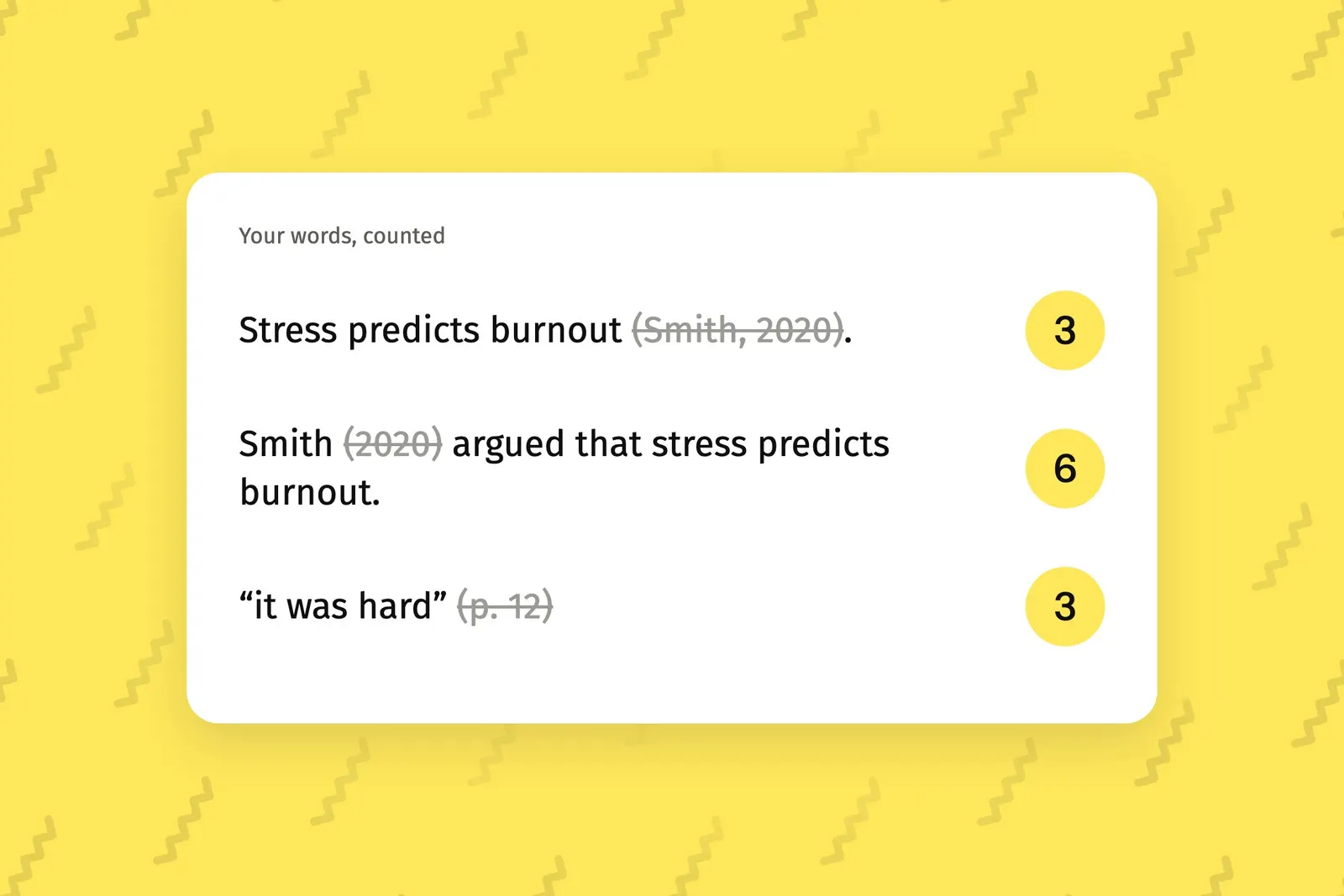
A citation in brackets after your sentence is left out. In “Stress predicts burnout (Smith, 2020).” three words count.
A name that is part of your sentence counts, and the year in brackets after it does not. In “Smith (2020) argued that stress predicts burnout.” six words count.
A page reference after a quote, such as “(p. 12)”, is left out. So are numbered citations such as “[1, 2]”.
Ordinary brackets still count. “Participants (n = 42) completed the survey.” is seven words.
A year in brackets is only a citation when a name comes before it. “The war ended (in 1945) after six years.” is eight words.
The reference list, and everything after it, is never counted. Footnote text is never counted either.
Words are runs of letters or numbers separated by spaces. A hyphenated word counts once, and a dash on its own does not count.
Letting WordStride do it
WordStride is a pane for Microsoft Word and Google Docs that applies these rules as you type. It shows a live count beside every paragraph and leaves your citations out. It knows APA, Harvard, Chicago, MLA, Vancouver, IEEE, AMA, OSCOLA and AGLC, and you can let it detect your reference style or set it yourself.
You can count three ways: one target for the whole piece, a goal for each section, or a goal for each paragraph.
Check your own rules first
Word limits differ between universities, courses and journals. Some count citations and some do not. Read your course guide or the journal’s instructions before you rely on any count.